
Dear ARIS friends,
I have been working on a new filter and template for our organization and using the new symbol style is the main change. We have a lot of legacy material that I dont want to change or migrate so I created new symbols for each object in our framework. This approach allows modellers to choose old or new style filter when logging in depending on thieir task. It also supports migrating only requested models over time rather than a big bang migration of everything.
Anyway, I created the new filter by setting up a new database that i populated with my updated models and symbols and the relevant relations. When creating this database I was given a choice wether to use "ARIS default palette" or the old "ARIS default palette (classic)". I selected the first alternative. A later found that our 10+ year old production database has the classic option. (of course, nothing else was available when it was created).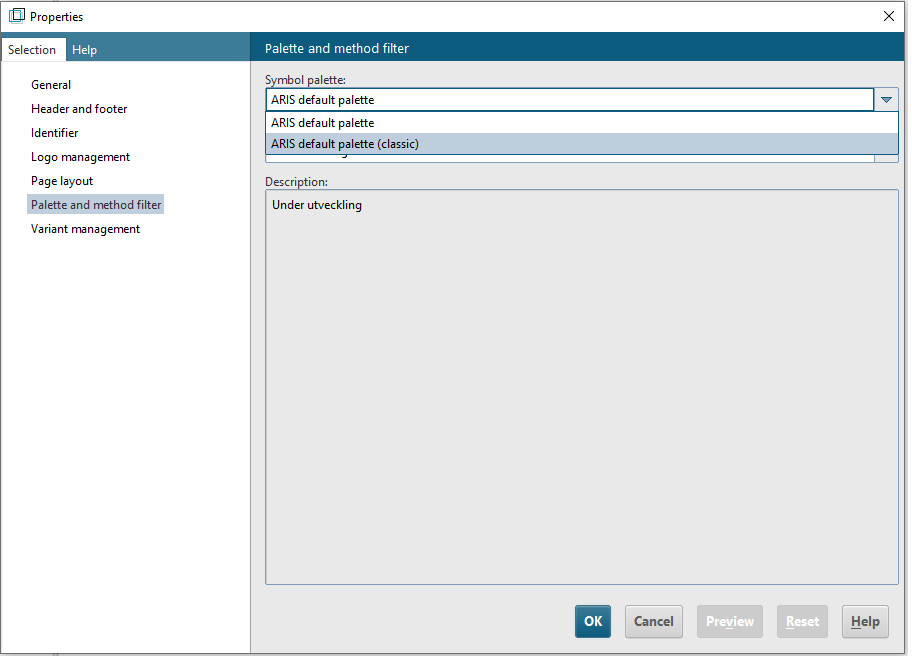
I tested the new filter and template on a test-database (ARIS default palette was used when creating that database too) and everything seemed fine. Decided to test it on our production database with a few key users. They noticed that the new symbols where a bit small and should have a larger default size. Their suggestion was 300% which is huge and I realized that there must be some other parameter involved that controls the symbol sizes. The only difference in settings that I have found so far is the Palette and method filter setting described above. I can change it of course but then I have to migrate all the content on the database as it replaces all classic symbols.
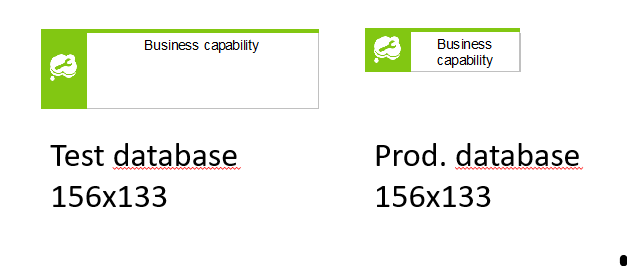
I realize I may have to setup a new database for use of the new palette, filter and template and use a more batch-oriented approach to migration. But first I want to understand how the difference in symbol size can occur with the same template.
Questions:
Are there any know parameters controling symbol size that I have missed?
What is the best-practice approach to migrate to the new symbol palette on a server with many custom symbols?
I am thankful for any thoughts.
Kind Regards and Happy Holidays!

M. Zschuckelt on
Hello Erik, just to be sure: Have you tested the Macro "Layout models using default palette", if it is of any use for migrating your databases with Default (classic) to Default palette?
It was intended to expand the layout of models such that the new bigger symbols can be accomodated.
With custom symbols for everything you are introducing a hell of complexity in your filter and additional challenges if you have any scripts looking at the symbols of occurrences or object default symbols.
The beauty of switching the palettes is that all your symbols keep their symbol type (type number, GUID) and all code just continues to work like nothing happened.
I do not understand in which mode you want to operate your production database in the future: Default or Default (classic)? Are you going to build old-style looking symbols for the default palette or new-style looking symbols for the default (classic) palette? In the former case you have to
In the latter case you save steps 2 and 3, but you will never arrive at really using the new palette. That will remain a migration effort postponed into the future. And until then all your reports need revising and 4 times the amount of testing.
My strong recommendation: Stick with a single set of symbols of which-ever palette you choose. If it is the new one, go for a big-bang migration. The macro may play a part in this. Only if you have really large models occupying a large part of the available canvas you may be running into trouble, because of lack of space. Then you have no option but to re-layout those models first before the migration.
If you run into any other trouble using the macro, seek advice from the support.
And of course, test the migration until it works for you. :-)
One more note: If you offer every symbol twice, your modellers will go crazy mixing them as they please.