
Hi,
I have a filter which contains "BPMN process diagram (BPMN 2.0)" derived models, and for which, the collapsed Sub-Process symbol is available by default (already selected and no possibility of remove it).
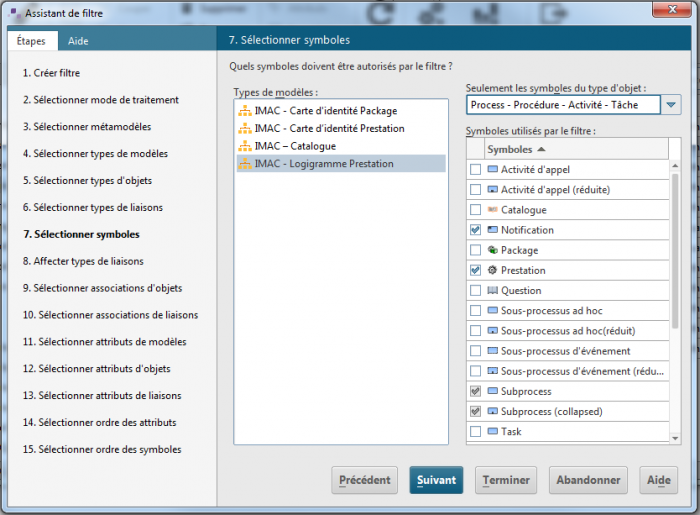
I use this filter to open a database.
But when I create one the model, the collapsed Sub-Process symbol isn't present in the right menu. The button to add symbol is grayed, so it's impossible to add this symbol.
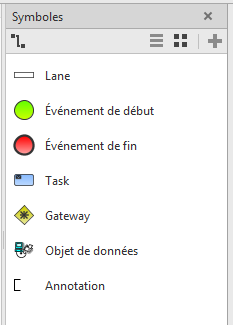
Does someone know why the collapsed Sub-Process symbol is missing and how to enable it in designer ?
Thanks and regards,
Thierry Caro on
Hello
I believe the "Subprocess (collapsed)" symbol does not need to be visible in the symbol list for the filter in Designer. The symbol will automatically appear when collapsing a Subprocess using the editor.
Regards, Thierry