
Horizontal BPMN Linking Aligned to End-to-End — Modeling conventions
Introduction
Horizontal BPMN linking ensures that process continuity defined on Level 2 of the End-to-End Business Scenario is consistently reflected inside the underlying BPMN models.
This mechanism enables modelers to navigate across BPMN diagrams, maintain semantic consistency, and ensure that End Events and Start Events correctly represent the overall business process flow.
End-to-End Alignment Logic
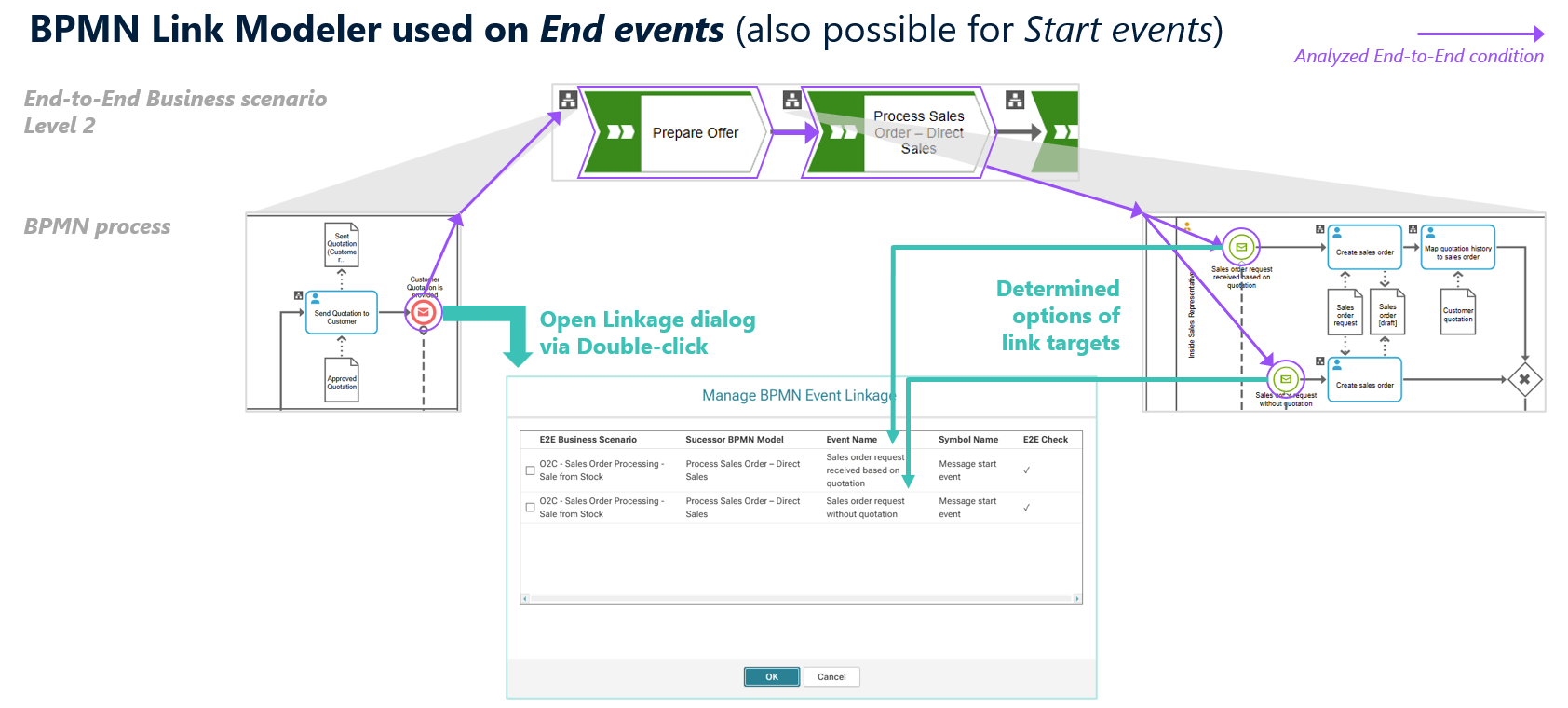
Horizontal BPMN linking creates the technical connection between the End Event of a predecessor BPMN model and the Start Event of its successor.
The available link options are not chosen manually.
The BPMN Link Modeler analyzes the End-to-End Level 2 scenario, identifies the valid successor process and its Start Events, and presents only those options that are logically possible according to the defined E2E flow.
How to Create the Link
From the predecessor BPMN model
- Double-click the relevant End Event.
- ARIS displays all valid Start Event options of the successor BPMN model.
- Select the appropriate Start Event(s).
- Confirm with OK to save the link.
Horizontal linking can also be defined from the successor side. By double-clicking a Start Event, the BPMN Link Modeler shows the corresponding predecessor End Event(s) from which the Start Event can be linked. Any changes made here are reflected on both sides
Best Practices
- Create horizontal links after the Level 2 scenario flow is finalized.
- Use clear, specific event names to improve link selection.
- Review both predecessor and successor models to maintain consistency.
Need Help?
If you have questions about any Accelerator or want to exchange experiences with others, visit our community forum. There you can ask questions, share insights, and support each other.