
This feature greatly improves the security of your account. On top of username and password login, you will need to input a second factor - an access code generated by an application in your personal device.
Procedure:
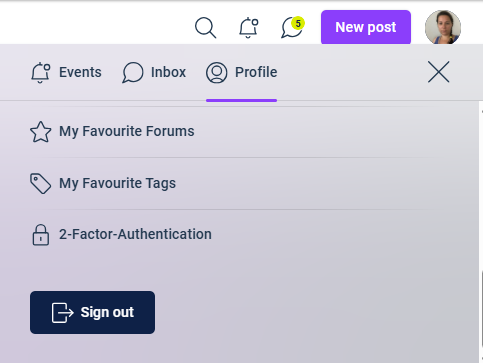
1. Login to your account and navigate from the profile menu to the two-factor authentication page:
2. On the TFA setup page, you will have the option to generate recovery codes and to set up TFA the application.
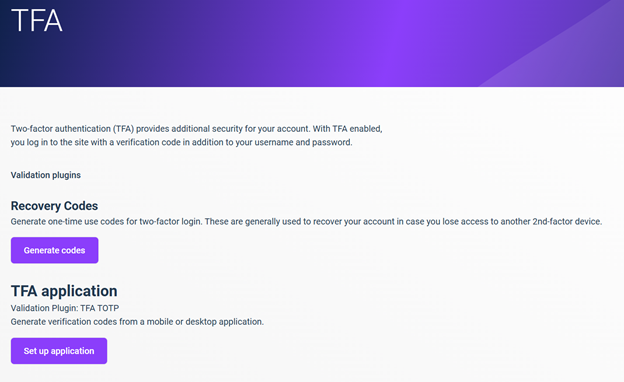
3. Set up the application - follow the guide displayed on the page.
- You will be asked for current password.
- Install authentication code application on your mobile or desktop device.
- Scan the QR code provided on the set up page (or enter the code manually).
- Input the access code generated by your application.
4. On your next login to the community, you will be asked to enter the access code from your application.
Tip: We highly suggest setting up recovery codes in case you will lose the access to your TFA application. Don't forget to store these recovery codes safely!
Note: In case you lost your TFA device and don’t have your recovery codes, contact us at contact@ariscommunity.com