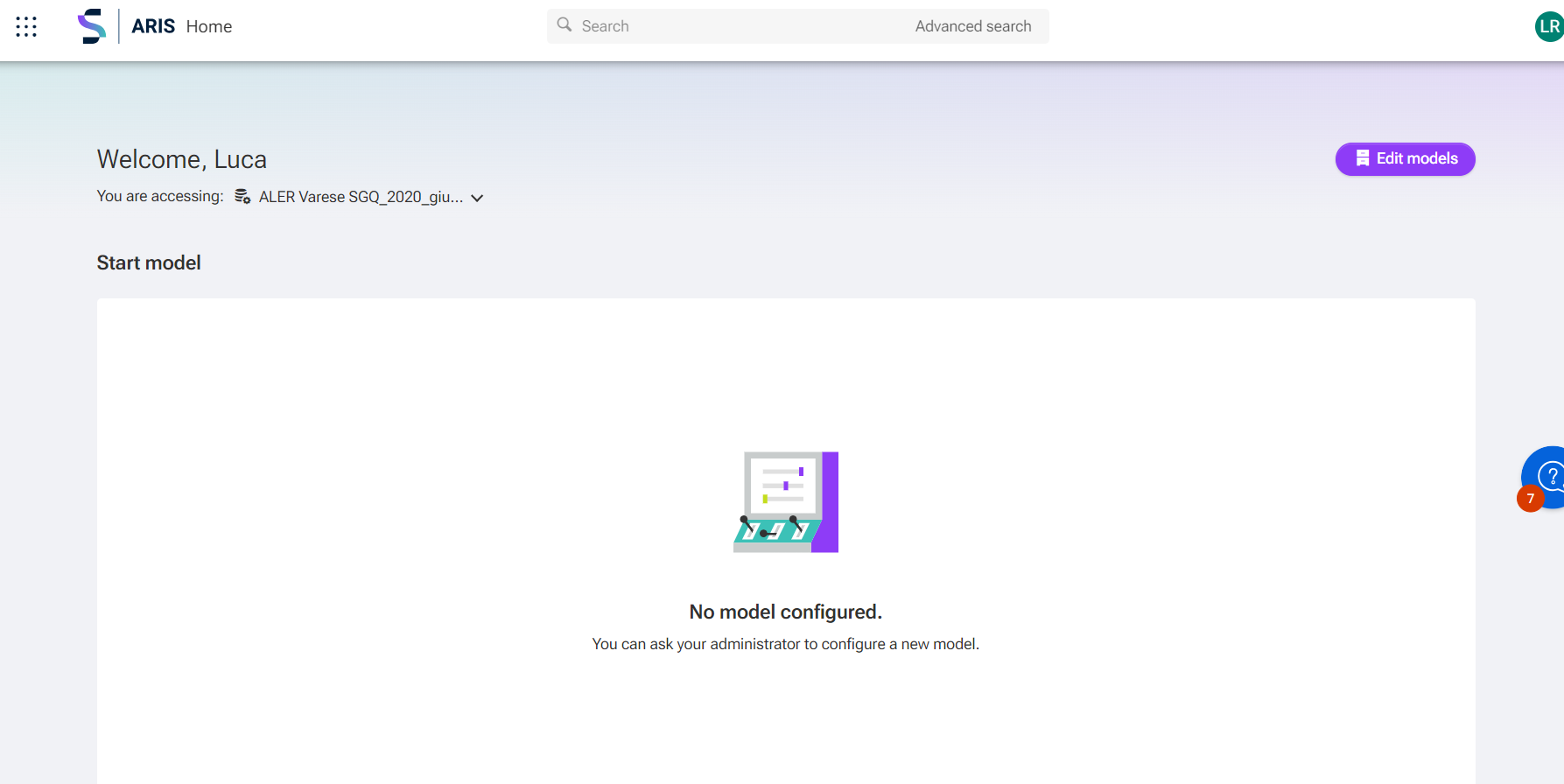
LB lucia ballerini on May 7, 2024 Good morning, I need to insert a Start Model in Aris Cloud Advanced; could someone help me? Thank you Tags #arisadvanced Bookmark Like Share Sign in or register to reply. Notify Moderator Best Reply Alison Do on May 9, 2024 - 06:23 Hi Lucia, You will need Admin (Configuration) access to do it. Go to 9 dots > Administration Configuration > Publication settings > Manage configuration > edit Select Home > Click on Start model > Edit Then add Diagram Hope this helps. Alison Like Sign in or register to reply. Show in context Notify Moderator 1 Reply Sort by Date ASC Date DESC Likes Sort by Date ASC Date DESC Likes Alison Do on May 9, 2024 - 06:23 Best reply Hi Lucia, You will need Admin (Configuration) access to do it. Go to 9 dots > Administration Configuration > Publication settings > Manage configuration > edit Select Home > Click on Start model > Edit Then add Diagram Hope this helps. Alison Like Sign in or register to reply. Notify Moderator
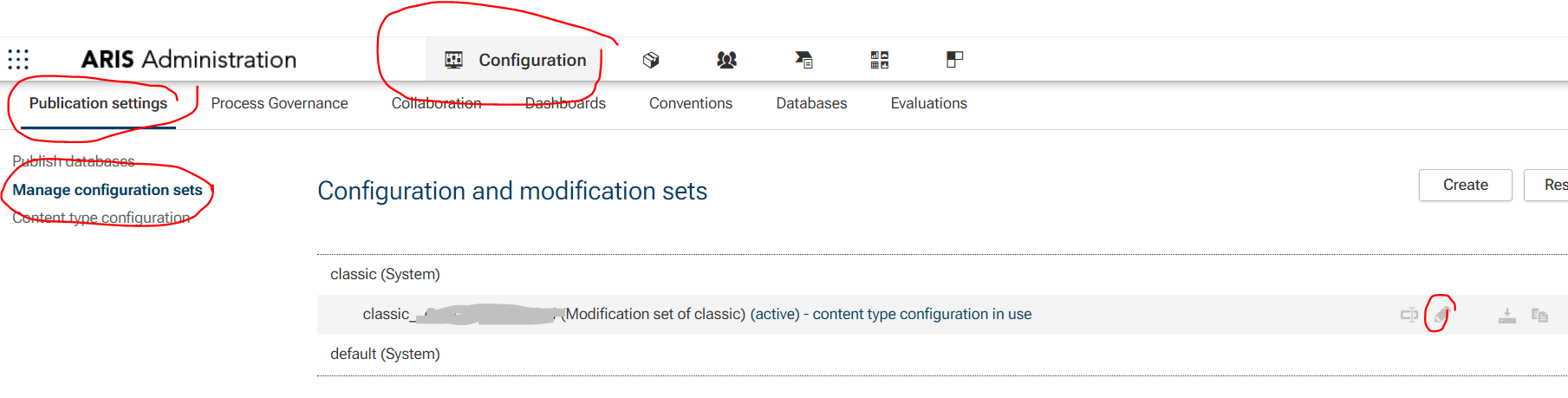
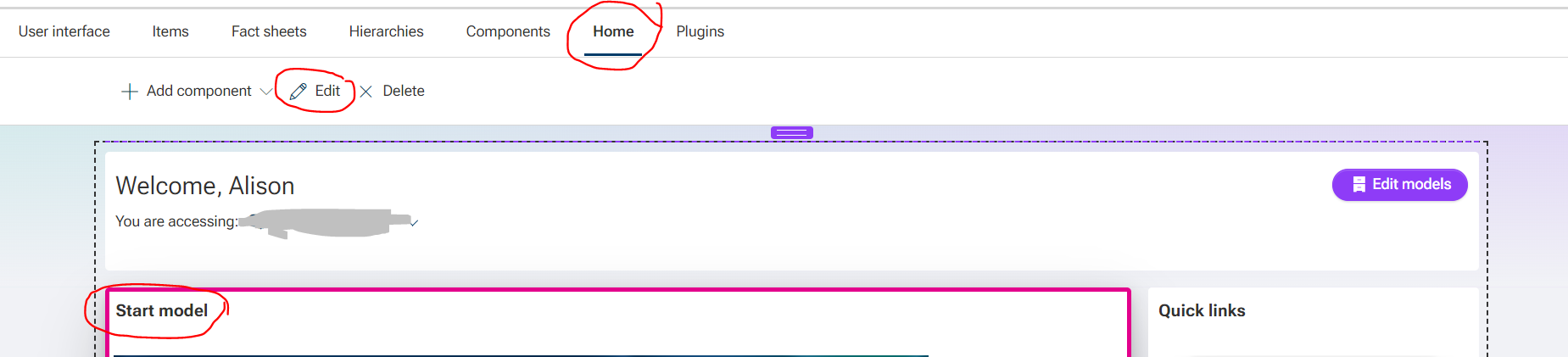
Alison Do on May 9, 2024 - 06:23 Hi Lucia, You will need Admin (Configuration) access to do it. Go to 9 dots > Administration Configuration > Publication settings > Manage configuration > edit Select Home > Click on Start model > Edit Then add Diagram Hope this helps. Alison Like Sign in or register to reply. Show in context Notify Moderator
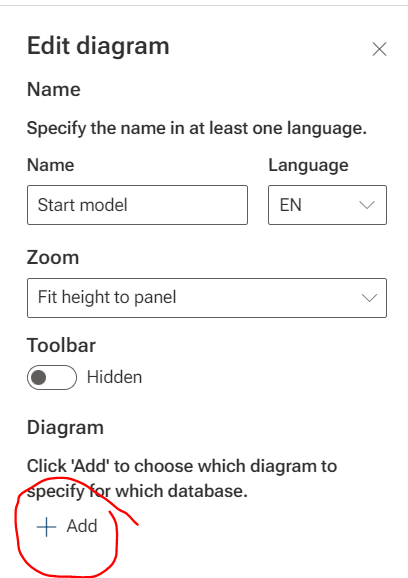
Alison Do on May 9, 2024 - 06:23 Best reply Hi Lucia, You will need Admin (Configuration) access to do it. Go to 9 dots > Administration Configuration > Publication settings > Manage configuration > edit Select Home > Click on Start model > Edit Then add Diagram Hope this helps. Alison Like Sign in or register to reply. Notify Moderator
Alison Do on
Hi Lucia,
You will need Admin (Configuration) access to do it.
Go to 9 dots > Administration
Configuration > Publication settings > Manage configuration > edit
Hope this helps.
Alison