

If you work with published ARIS content, you probably know the situation: you open a model, move into a related object, then into another model or document, and after a few clicks you need to stop and re-orient yourself.
Which path did I take, and how do I get back?
Until now, the usual options were the browser back button, repeated clicks in the portal, or starting again from the navigation tree. That works, but it is slow and easy to lose context.
ARIS 10.2026.5 adds two navigation aids in the published Portal: breadcrumbs and recent history. Both are intended to make everyday navigation easier without changing how users work with published content.
What is included in ARIS 10.2026.5
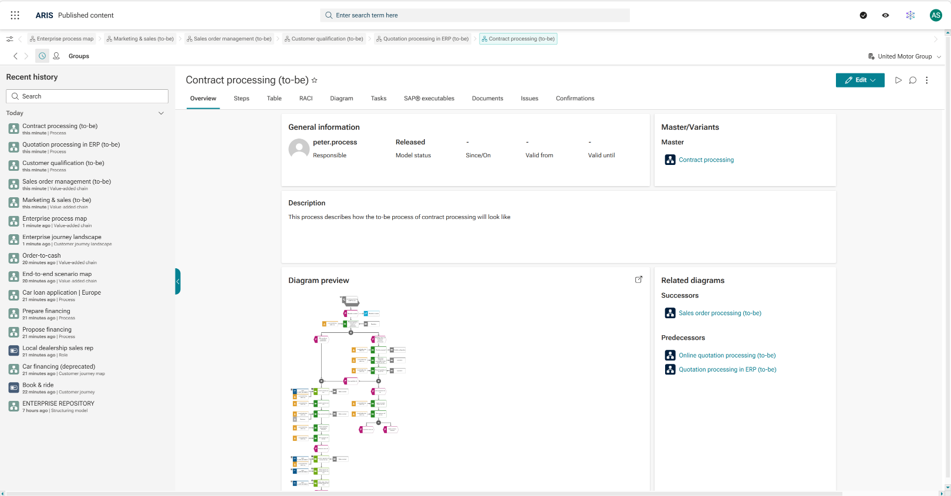
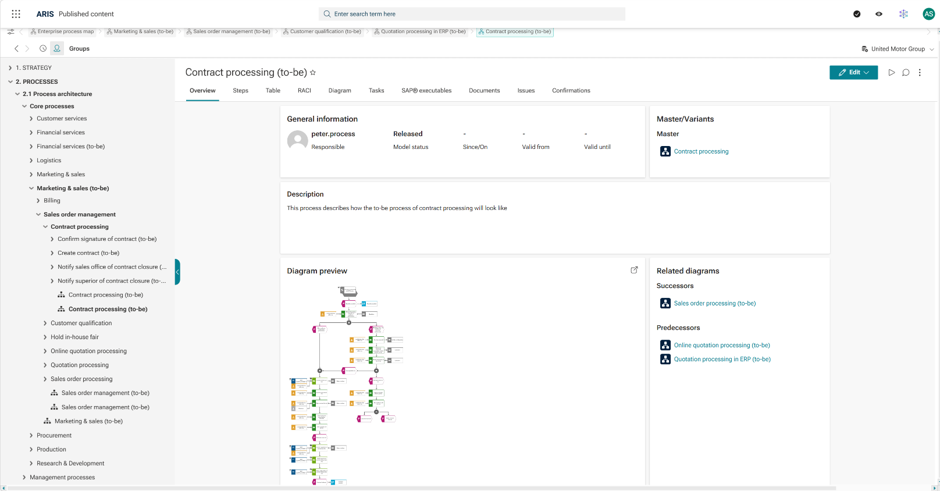
In the published Portal, a new breadcrumb bar shows the navigation path and lets users return directly to earlier steps. In addition, a recent history panel keeps a longer list of visited items so users can reopen content they worked with before. The back and forward arrows now move through visited items instead of tabs by default. If needed, administrators can switch back to the earlier behavior.
[Before and after comparison showing “several unknown clicks” vs. “clarity on click trail”]
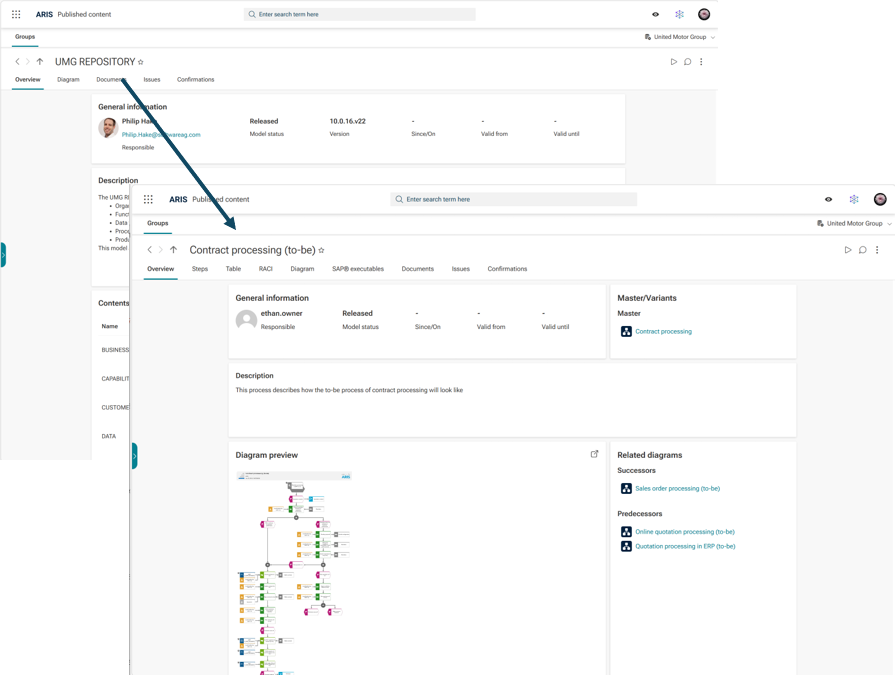
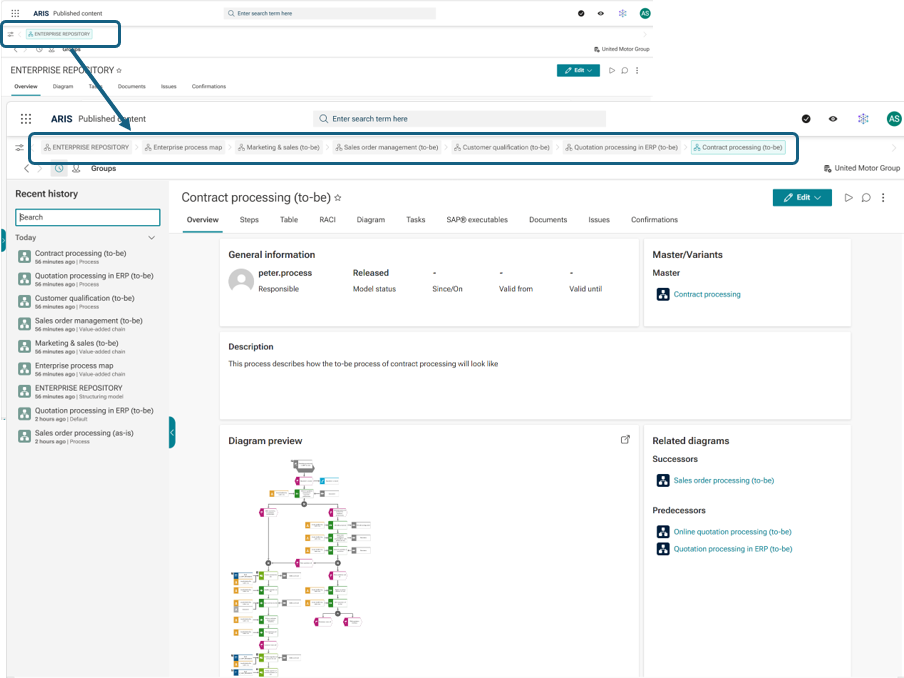
What changes for users
The main practical effects are straightforward:
1. Better orientation in published content. Users can see where they are in the path they followed and return to an earlier step without retracing everything manually.
2. Faster navigation across related items. This is especially helpful when moving between models, objects, groups, and related content during reviews, audits, or day-to-day lookup tasks.
3. Less repeated searching. With recent history, users can continue from previously visited content instead of navigating back through the repository structure each time.
Three breadcrumb modes
Administrators can choose between three breadcrumb modes depending on how users navigate published content.
Current path
This mode shows the path created by the user’s clicks. If the user goes back and starts from another point, the path updates accordingly. This is the default behavior and fits most navigation scenarios in the Portal.
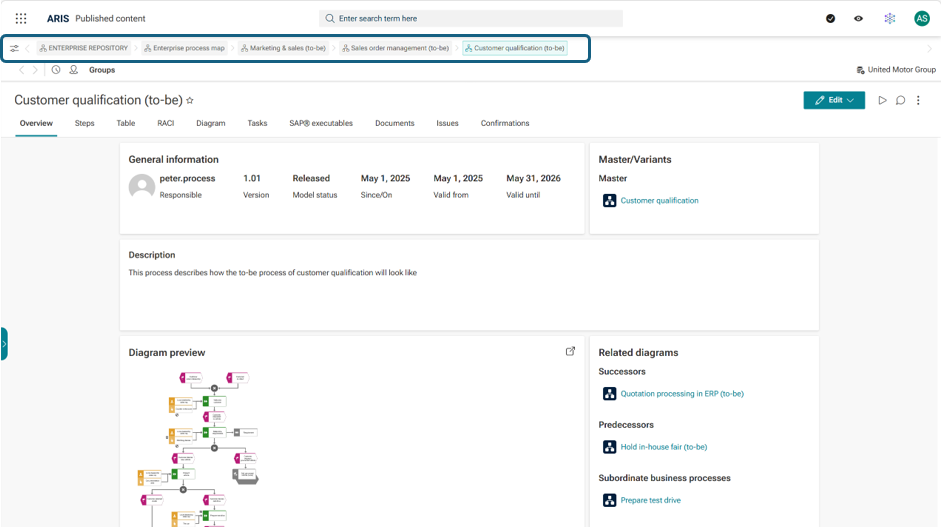
Full navigation trail
This mode keeps the full sequence of visited items instead of resetting the path. It can be useful when users want to see the complete route they took through several related models and objects.

Group tree
This mode reflects the repository group structure or other functional hierarchies as defined in the ‘hierarchies’ configuration, instead of the click path. It is useful for installations where users mainly think in terms of the published hierarchy.
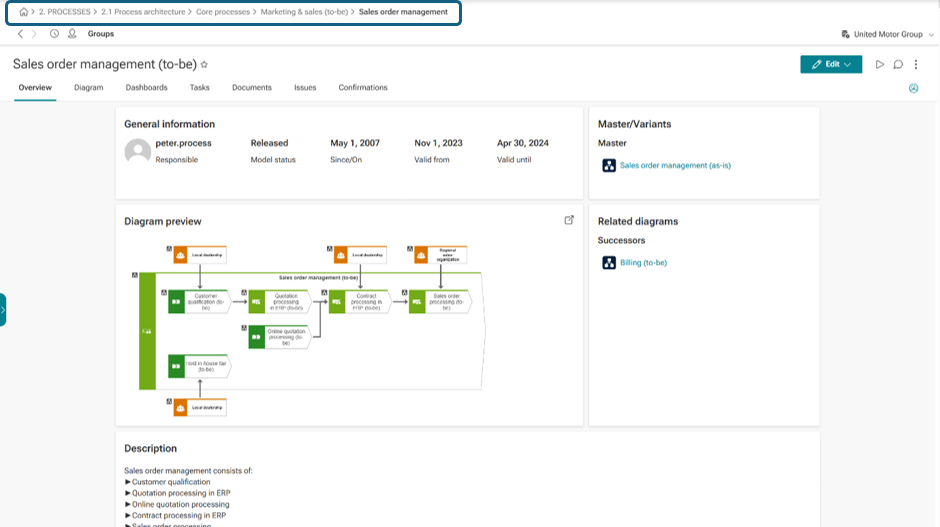
The mode can be changed in the portal settings.
Recent history
Breadcrumbs help with the current navigation path. Recent history covers a longer time range and lets users reopen previously visited models, objects, and groups. The panel stores up to 60 entries and groups them by time.
This is useful for recurring review work, audits, and any task where users return to the same set of published items.
What administrators should know
After updating to ARIS 10.2026.5 or later, breadcrumbs and recent history are enabled in the standard portal configuration. The default breadcrumb mode is Current path.
Administrators can configure the following options without additional development:
- Enable or disable breadcrumbs
- Select the breadcrumb mode
- Enable or disable recent history
- Define a preferred content view, for example Overview or Diagram
- Restore the previous back and forward behavior with the relevant setting
- Keep the side panel expanded for first-time users
-
Show model type names in navigation lists

IMPORTANT NOTE: If you use existing XML customizations in the Portal, make sure to review how these new settings interact with your current configuration and decide whether to keep the defaults, adapt them, or disable them.
Availability
- Editions: Enterprise Private Cloud, Enterprise Public Cloud, On-premises
- Products: ARIS Enterprise – Viewer, ARIS Viewer – Enterprise Public Cloud
- From version: ARIS 10.2026.5
- Prerequisites: None, unless manually disabled in customized portal configurations
Summary
Breadcrumbs and recent history address a common issue in published ARIS content: users move across related items quickly, but orientation becomes harder as navigation paths get deeper. The new functions make that path visible and easier to reuse.
For ARIS users, this means less repeated navigation and better continuity when working with published models and related content. For administrators, the feature is available with configuration options instead of additional implementation work.
Paul Doctor on
Is there a constraint on the options? For example if you have customized another facet of the configuration then some of the options are not available. I cannot seem to get the recent history panel to work....