
Back to: ONE Standard - PCF® QuickStart
This page provides guidance for the manual installation of the ONE Standard – PCF® QuickStart. It outlines the required files, prerequisites, and step-by-step instructions to set up the accelerator without using the ARIS Gallery.
Table of Content
- Prerequisities
- Download the Files
- Import PCF Database
- Final Settings
Prerequisities
The PCF® QuickStart is based on the ONE Standard methodology. So, the ONE Standard – Foundation must be available. There are two options to install this Accelerator
(The PCF® QuickStart database ("PROJECT TEMPLATE with PCF 8.0 - Cross Industry - ONE Standard (vX.Y.Z)" is used instead of the default PROJECT TEMPLATE database provided by the ONE Standard – Foundation.)
Download the Installer Files
- Go to the ARIS Community Download Center.
- Log in to access the download section for the ONE Standard Accelerator.
- Download the .zip file
Import PCF Database
Restore the "PROJECT TEMPLATE with PCF 8.0 - Cross Industry - ONE Standard (vX.Y.Z)" database
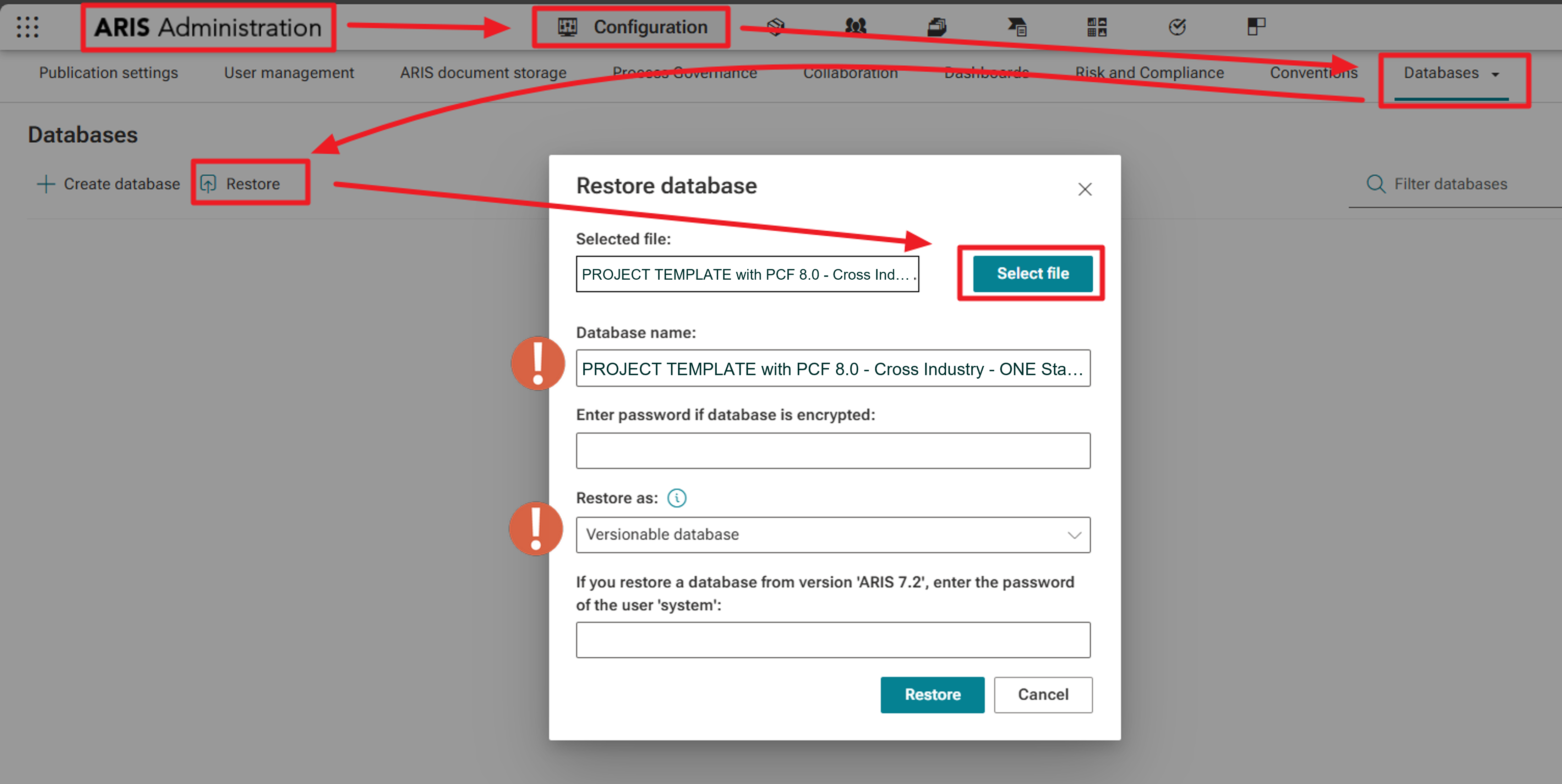
- Switch to the Databases area in Administration.
- Choose Restore database, then select the PROJECT TEMPLATE with PCF 8.0 - Cross Industry - ONE Standard (vX.Y.Z).adb file from your unzipped installation folder.
- You may rename the database immediately or later (for example, based on your project or initiative name).
- Ensure that the database is set as a Versionable Database (this setting is typically preselected).
-
The restoration process completes within a few seconds.
Final Settings
Verify Database Settings
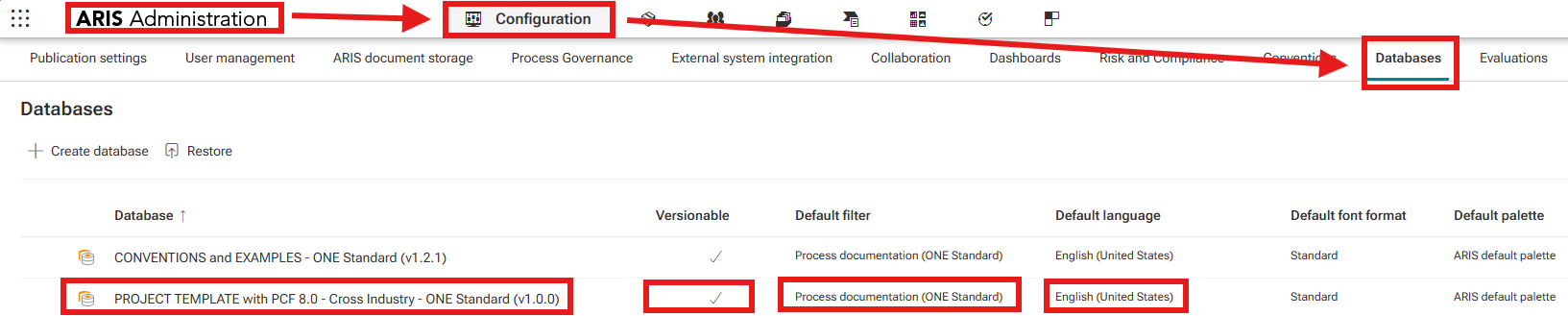
- After restoring the datbases, check properties respectively:
- assigned Default filter = Process Documentation (ONE Standard)
- Default language = English (United States) - The first versions are prepared only for this language!
- check Versionable settings
Adjust Publication Settings
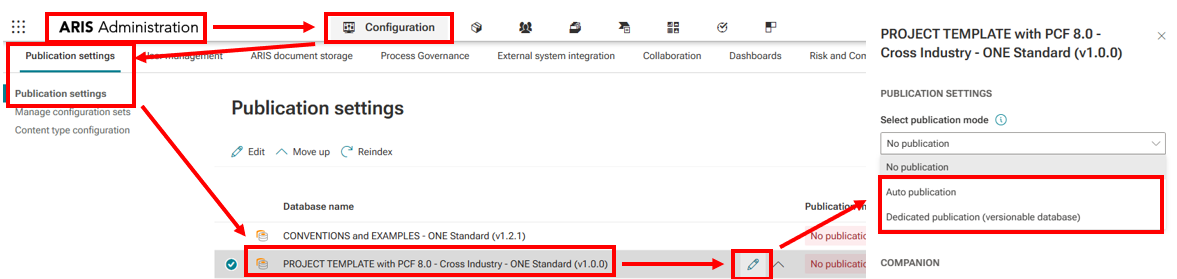
- Afterwards open Publication Settings.
- For your Project Template Database (your future process repository), choose the appropriate publication option:
- During the initial setup phase: Auto Publication is sufficient.
- Once moved into production: switch to Dedicated Publication.
Need Help?
If you have questions about any Accelerator or want to exchange experiences with others, visit our community forum. There you can ask questions, share insights, and support each other.