
What is ARIS Cloud for Faculties?
The ARIS Cloud for Faculties | Multi-user public cloud is an Education Package that includes the software "ARIS Advanced," a full-scale Business Process Analysis-as-a-Service product. The Education Package contains everything you need to enrich your BPM course with a practical angle:
- Project room in the cloud
- 50 licenses for ARIS Advanced Designers
- 50 licenses for ARIS Advanced Viewers
- Up to 20 Databases
- Prepared lecture slides and exercise material
The Education Package is offered free of charge for education and research purposes for a term of 6 months and can be extended for free as required. Please check FAQ for further information about the extension process.
How It Works
This offer is 100% cloud-based and enables you to access and work in a public cloud together with all the students in your lecture. With just a few settings, you can easily set up the educational environment in the cloud. Students can get started within seconds. All they need is a standard PC and a browser. That means participation from home, from campus, or anywhere else.
Your students gain hands-on experience in business process modeling with a powerful methodology toolbox and learn to describe complex business information in a clear, logical way.
How to Access ARIS Cloud for Faculties
Subscribe and we'll email your voucher for ARIS Cloud along with further setup details. Delivery may take a little time, so thanks for your patience.
-
ARIS Cloud for Faculties
Get your voucher and setup details by email — for faculty members only.
-
License Duration
Initially, you can access ARIS Cloud for Faculties for 6 months.
Afterwards, if you wish to continue with this offer, please request a new voucher via the Subscribe button above.
-
Faculty Registration
Please note that this package is only available for faculty members.
Please register here.
-
The Highlights of ARIS Advance
- Easy modeling environment
- Sharing and editing content
- Collaboration with a Community feature
- Cloud-based software without any installation effort
- Easy user and database management
Setting Up Your Educational Environment
New to ARIS? Start with the ARIS Cloud Quickstart Guide to set up your educational environment properly. Reflecting the fact that you mostly deal with faculty members, students, and guests, you'll see how easily these user groups map to the licenses that you receive from University Relations.
You can also share this video from the series "Pt.4 New User", with your students and other users. This video focuses on their first steps, helping them speed up productivity in their personal workspace.
-
ARIS Cloud Quickstart Guide
Short, easy-to-follow videos on setting up your environment, navigating the platform, and using key features.
ARIS Cloud Quickstart Guide – FAST TRACK


The two config files mentioned in the video "Configuration Script" can be downloaded here: .adb-file | .csv-file
Enjoy and Have Fun in the Cloud!
Besides watching the video "New User", we strongly recommend your students see another video, which originates from an earlier stage of ARIS in the cloud, but is still very relevant to getting started with ARIS Advanced:
Integrating with ARIS Process Mining
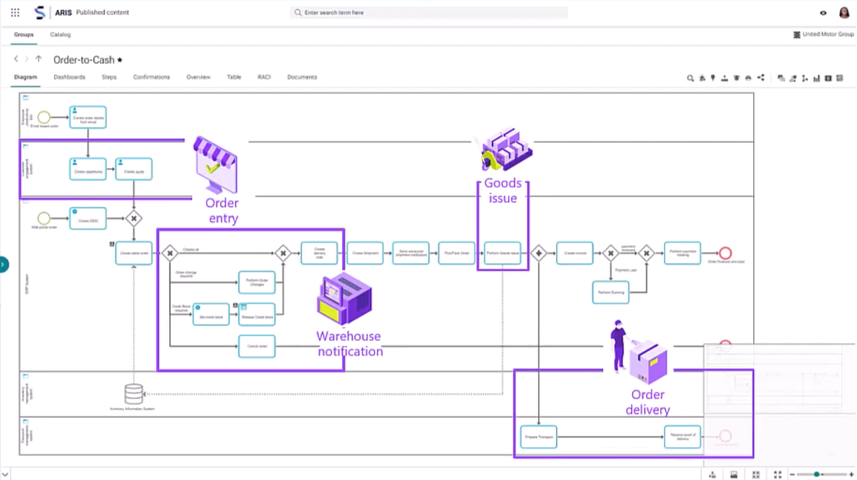
To see how ARIS Cloud can be used with ARIS Process Mining, you can check out this video:
Need More Information?
-
ARIS Video Tutorials
Explore video tutorials on the Know-How Resources page.
-
Have Questions?
Find answers to common questions about ARIS.
Have questions about this offer? Please contact us at universitycommunity@ariscommunity.com.